

Users
User management in SOLID provides comprehensive tools for managing user accounts, profiles, and access control.
User Management
Creating Users
There are several ways to create users:
Admin Creation
- Navigate to Users section
- Click "Create User"
- Fill required information
- Assign roles
- Send invitation
User Invitation
- Send email invitation
- User completes registration
- Automatic role assignment
- Email verification
Self Registration
- Enable public registration
- Configure registration fields
- Set default roles
- Enable email verification
User Properties
| Property | Description |
|---|---|
| Full name | User's full name |
| Username | Unique identifier |
| Primary contact | |
| Password | Securely hashed |
| Mobile | User's mobile number |
| Roles | Assigned roles |
Security Features
Password Management
- Password complexity rules
- Password expiration
- Password history
- Failed login lockout
- Password reset
User Interface
User List View
- Search users
- Filter users
- Export users
User Detail View
- Profile information
- Role management
- Activity history
Creating a New User
 Figure 1: User list page showing existing users.
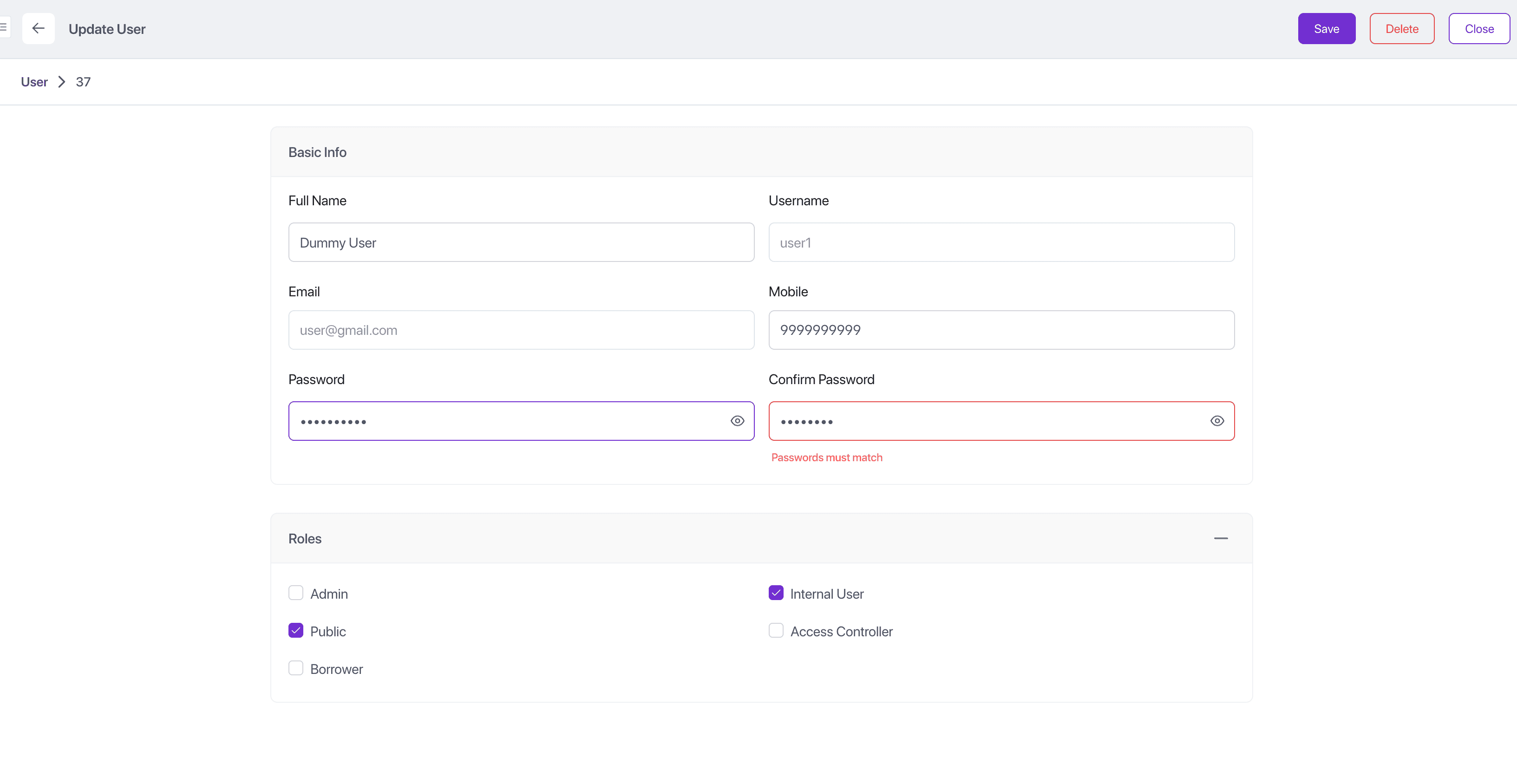 Figure 2: User creation form to add a new user.
To create a new user:
- Navigate to IAM → Users section
- Click the Add button
- Fill in the required details in the form
- Assign the user the required roles
- Click Save
- User is added to the list of users
- User receives a mail with the login link and is prompted to change their password (if
forceChangePasswordis enabled)
Note
Internal user is a pre-defined technical role with limited permissions. All users need to be assigned this role, for application to work properly on user login.
Best Practices
User Creation
- Validate email addresses
- Enforce strong passwords
- Set appropriate roles
- Document user purpose
Profile Management
- Collect necessary information
- Respect privacy
- Regular information updates
Security
- Regular password changes
- Monitor login attempts
- Review access regularly
Maintenance
- Update user information
- Review role assignments
- Clean up permissions