

Dashboard
See the health of your applications, spot changes early, and support better release decisions.
The Test Hub dashboard gives you one place to see whether customer journeys are working across your applications.
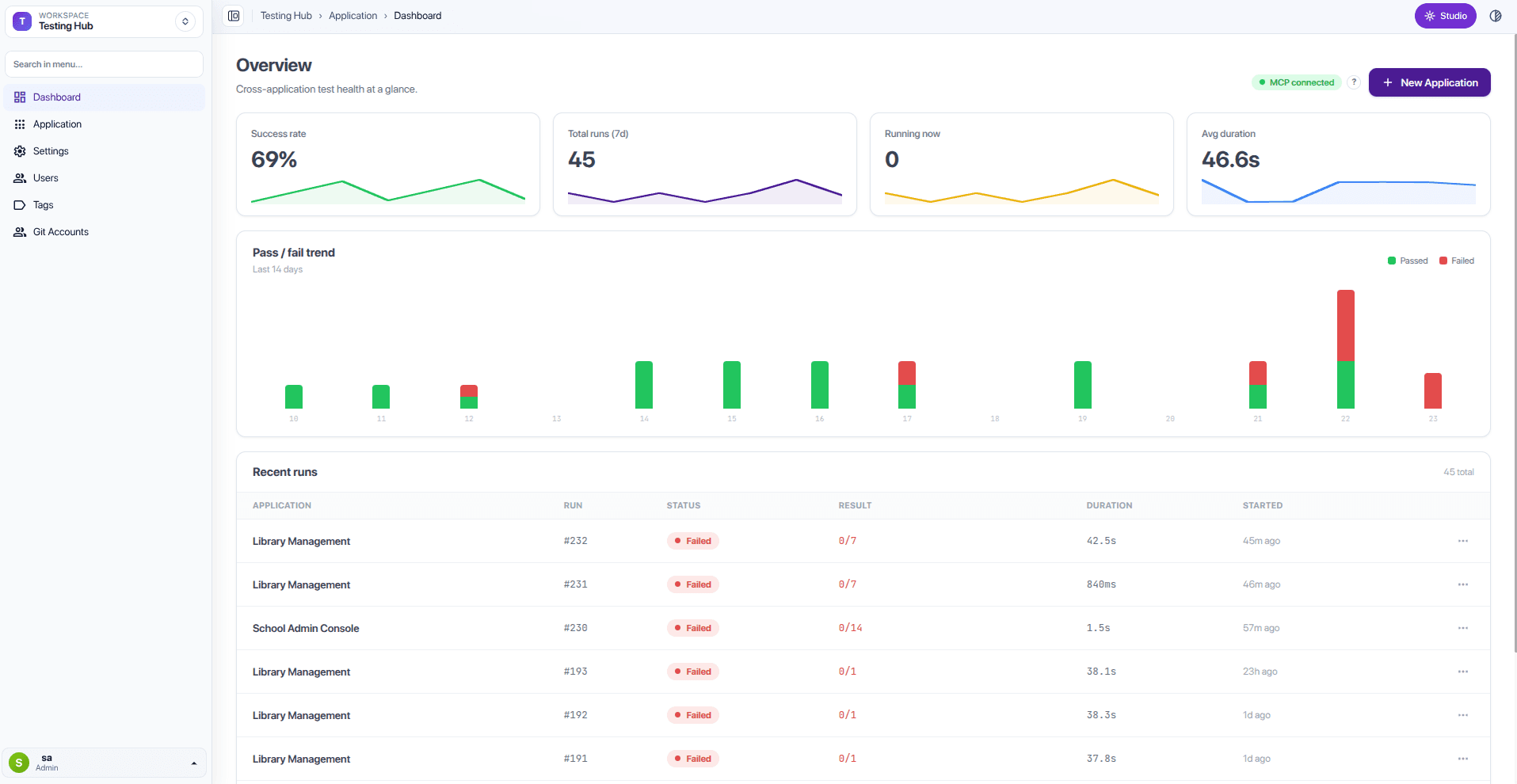
What to look at first
- Current success rate — a quick view of how often recent tests have completed successfully.
- Applications with failed journeys — the applications with a recent failed journey.
- Recent results — what was checked most recently and whether it is ready.
Use the trend to spot change
The trend shows whether results are improving, steady, or getting worse over time. A new drop after a release is a prompt to look at the affected journeys and speak to the delivery team.
Make a release decision
Before approving a release, use the dashboard alongside your normal release review:
- Review the result of your release-test group.
- Open any failed journeys.
- Consider the customer and business impact.
- Agree whether the issue must be fixed before release or can be managed separately.
The dashboard gives you evidence for the conversation; your team still makes the release decision.