

Run Tests
Run customer-journey tests before a release or after an application change.
Run tests whenever your team needs confidence: before a release, after a fix, or when reviewing a change that affects a customer journey.
Start a test run
- Open the application in Applications.
- Select Start Run.
- Run all test scenarios for a full release review, or select a label to focus on one area, such as Payments or Sign in.
- Select Start run.
Run options
The Start Run popup lets you choose which scenarios to include and gives you three optional settings.
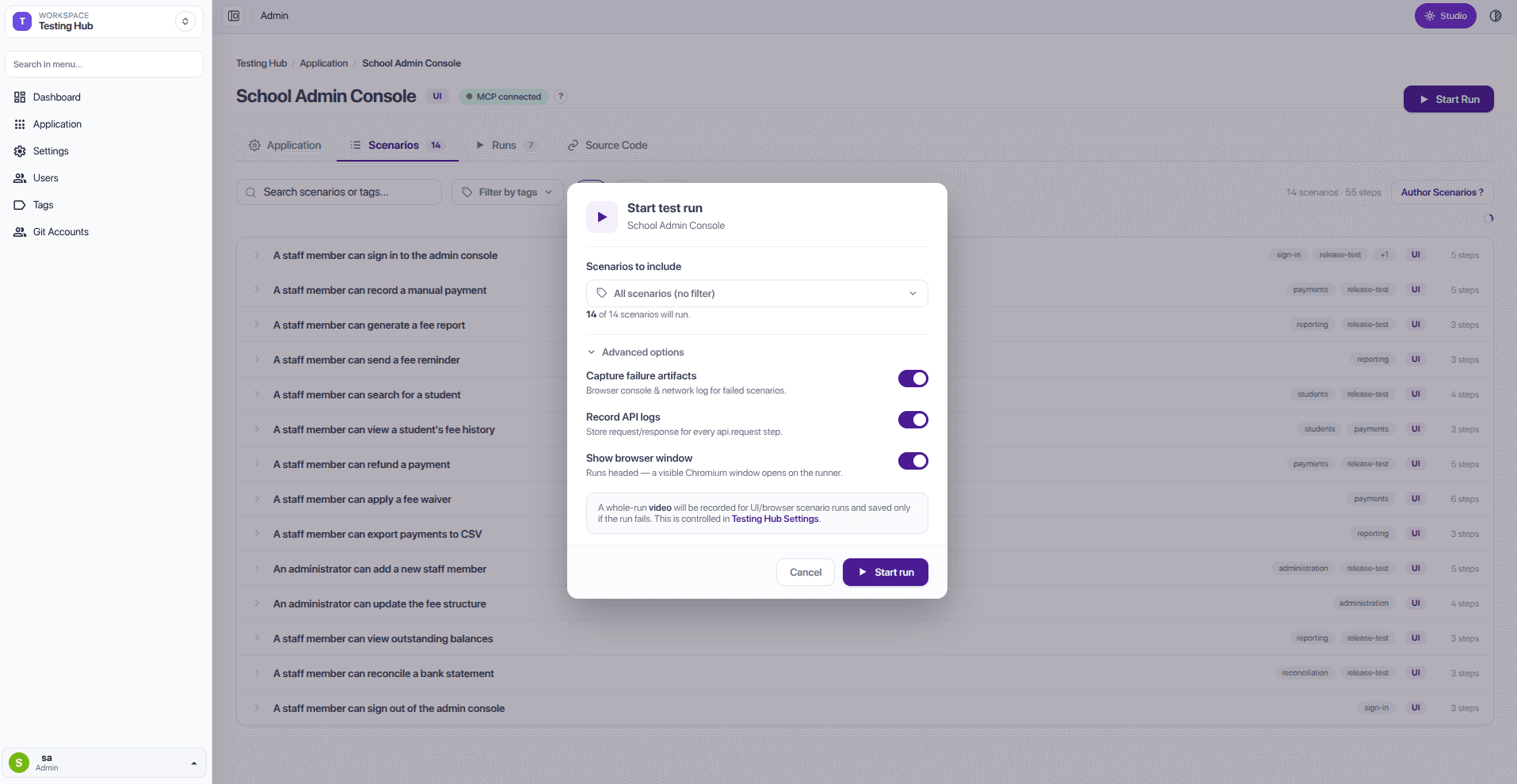
| Option | What it does |
|---|---|
| Capture failure artifacts | Keeps browser console and network details when a test fails, helping the delivery team investigate. |
| Record API logs | Keeps the request and response details for API calls made during the test. |
| Show browser window | Opens a browser window while the test runs. When this is off, the test runs headless in the background, without showing a browser window. |
Test Hub shows progress while the tests run. You can see which customer journeys are waiting, being tested, and which have passed or failed.
Review run history
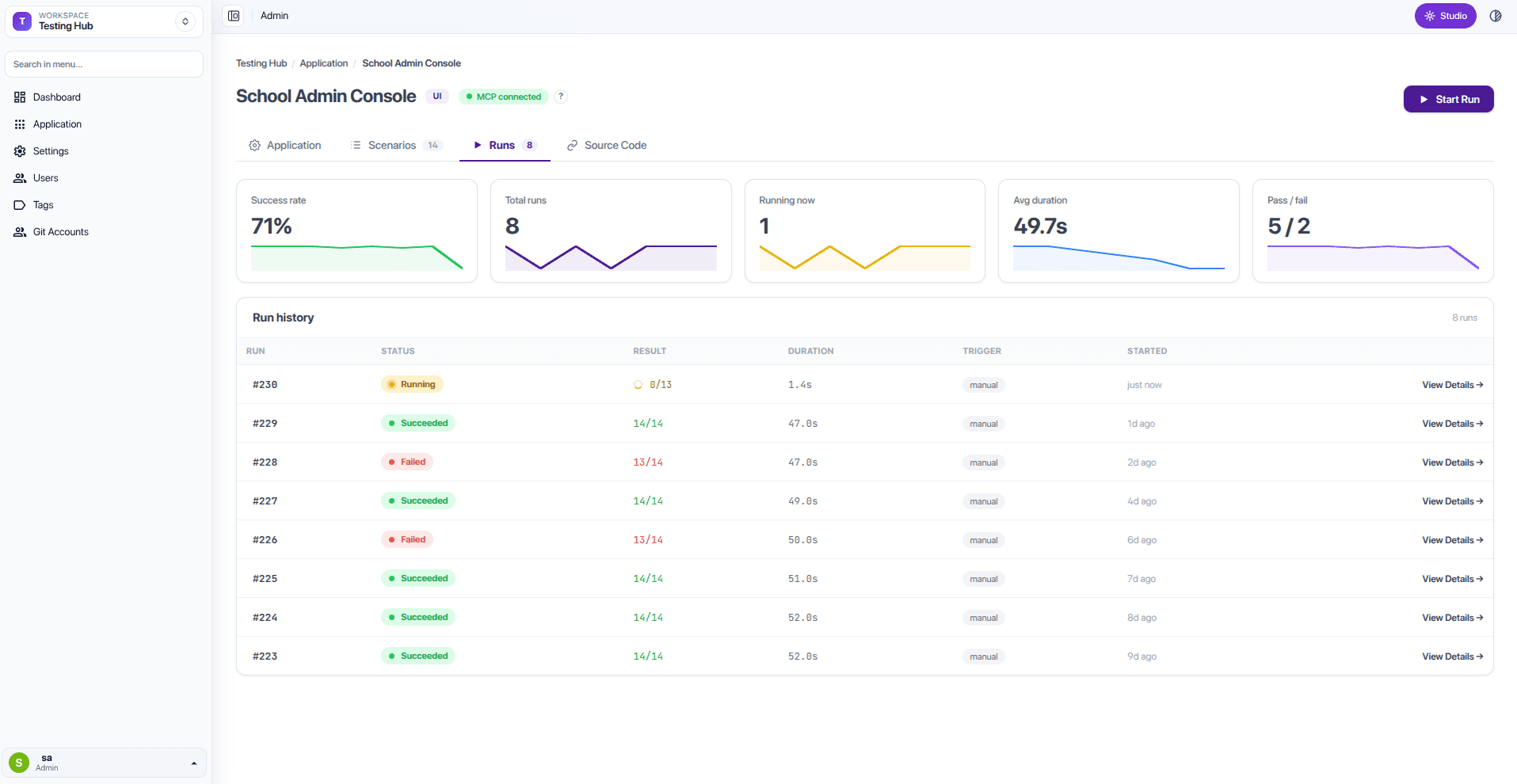
Each application's Runs tab lists every run — its status, result, duration, trigger, and when it started — alongside success-rate and duration summaries.
Use focused tests after a change
If a change affects payments, begin with the Payments group. Before releasing more broadly, run the full release-test group as well.