

Understand a Test Result
Read a test result, identify what failed, and make the right release decision.
Each test run shows an overall summary followed by the result of every customer journey included.
Start with the overall result
When every journey passes, the run shows a green 100% result with each scenario ticked off.
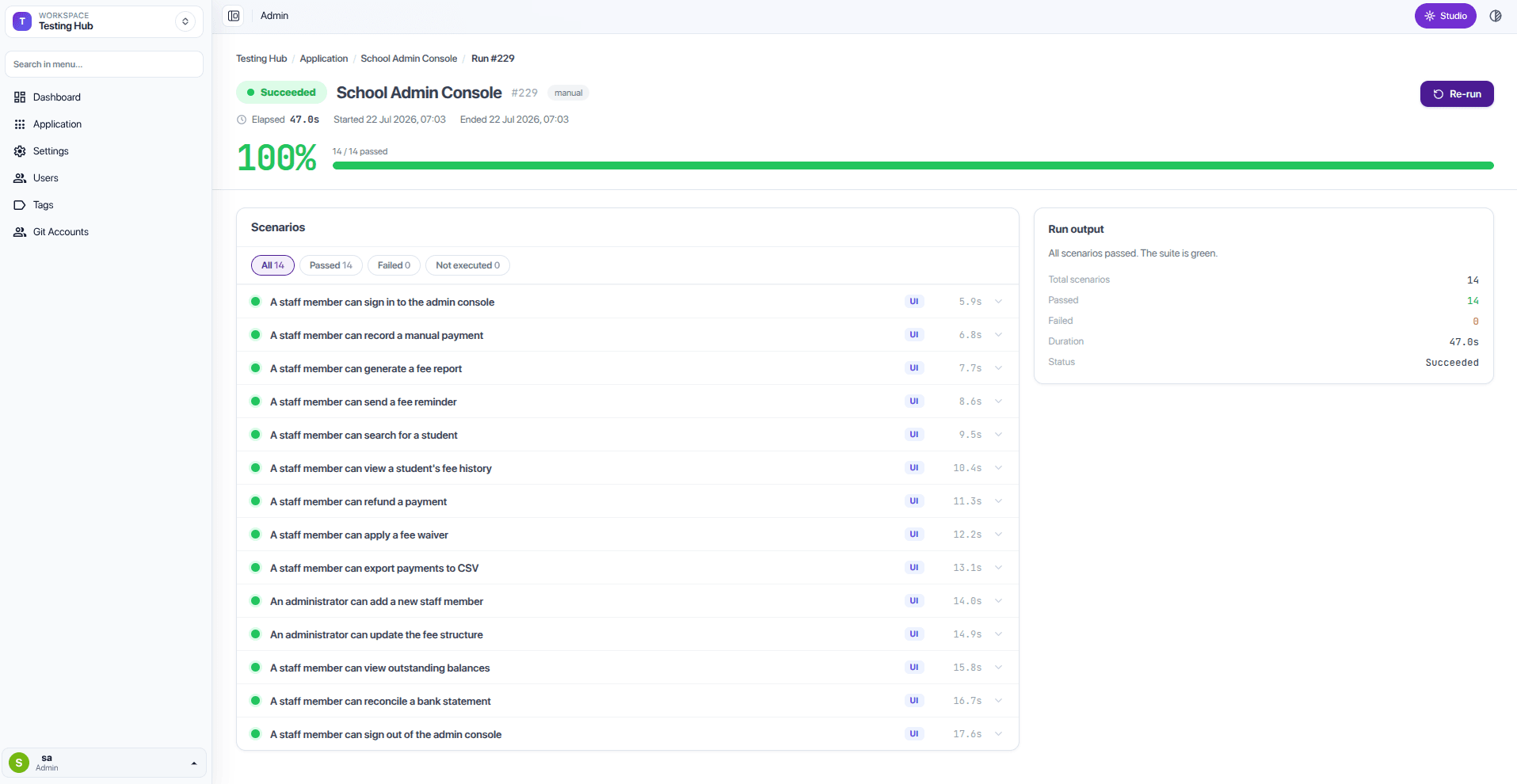
- Overall result tells you whether the selected customer journeys passed or failed.
- Passed journeys are working as expected.
- Failed journeys identify the customer experience that did not complete as expected.
- Time taken is useful when comparing this result with earlier runs.
What to do when a test fails
When a journey fails, the run is marked Failed and — for browser tests — Test Hub keeps a replay video of the whole run so you can see exactly what happened.
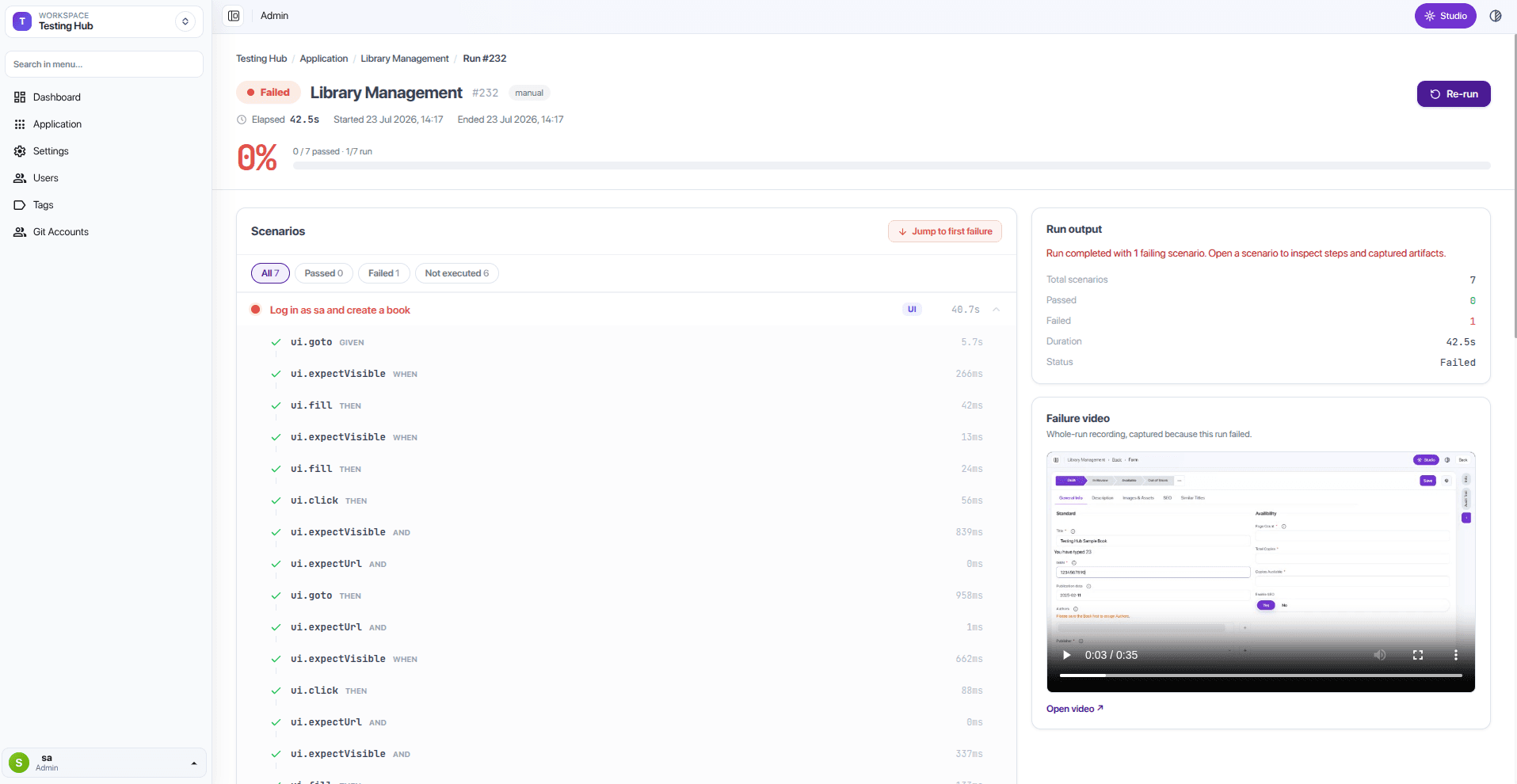
- Open the failed journey.
- Review the replay, if one is available.
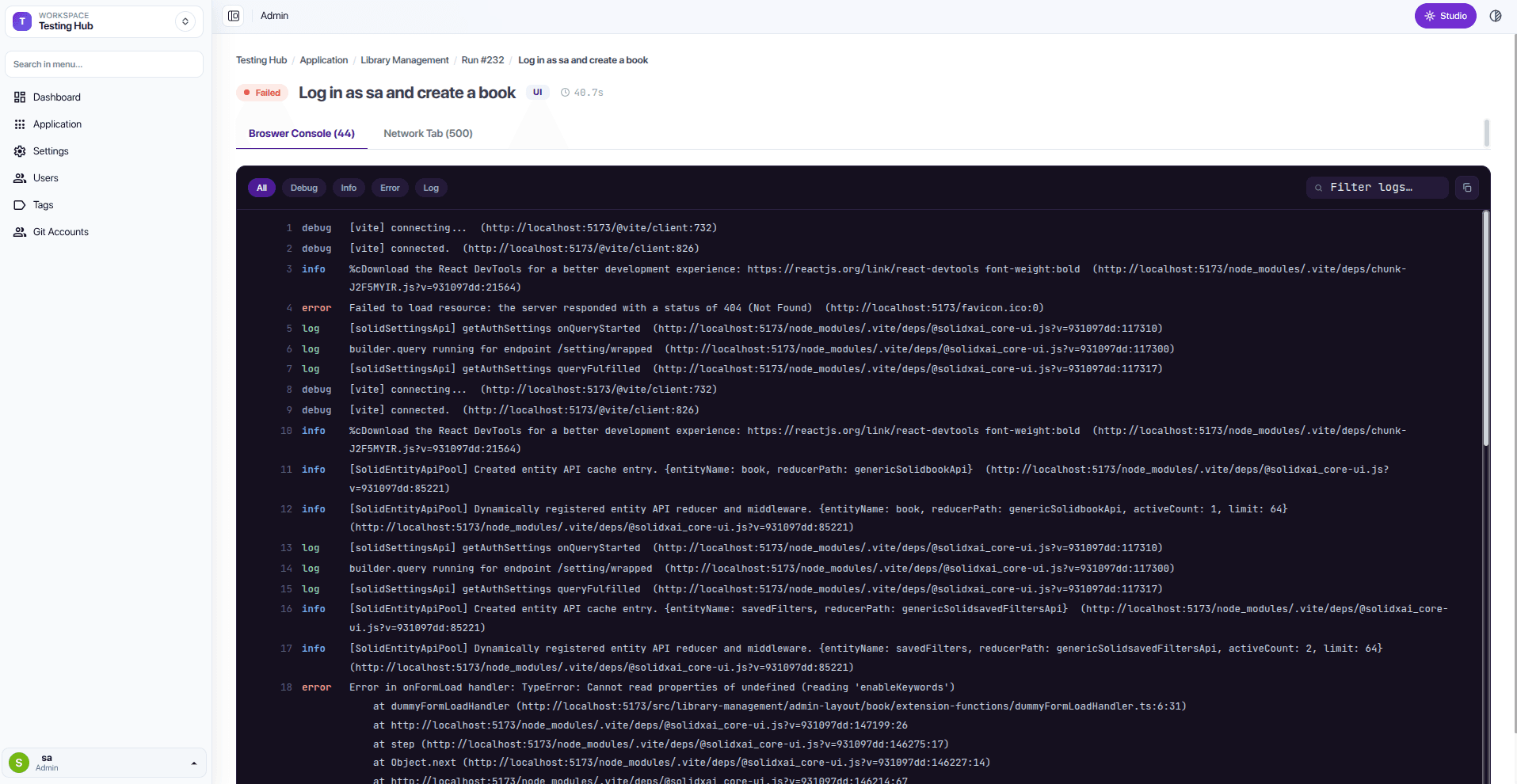
- For deeper investigation, open the failed journey's Browser Console and Network tabs to see the logs and requests captured during the run.
- Test Hub sends the delivery team responsible for that area the standard failure-email notification, with the failed journey, the time of the test run, the replay or link to the result, and the customer impact.
- Run the same test again after the issue is fixed.
A failed test is useful information
A failed test does not automatically mean the whole release must stop. Use the affected customer journey and the importance of the change to make the right release decision.